Banana AI, Early-On: How to Tell if It’s Useful After the First “Wow” Image
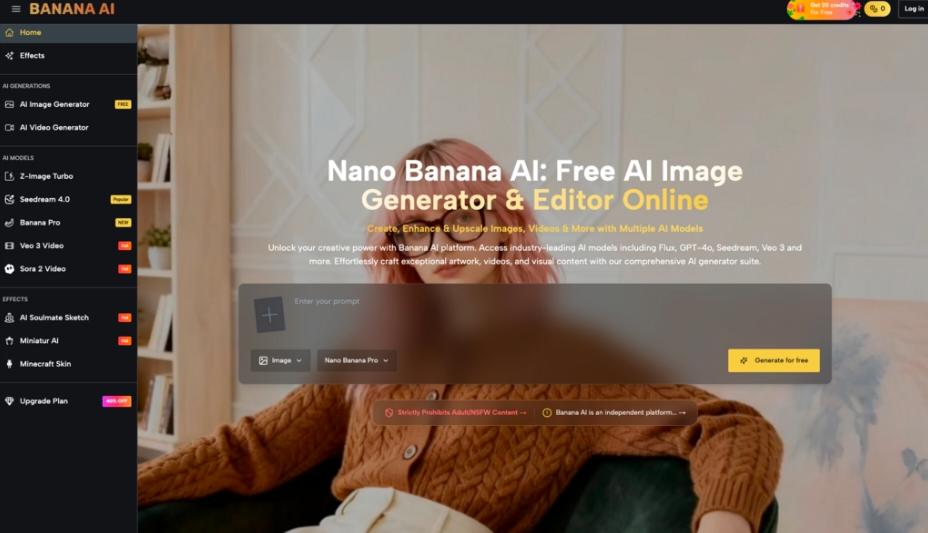
You don’t really learn an AI image tool when the first output looks surprisingly decent. You learn it on the fourth or fifth attempt—when the novelty wears off and you’re left with a more practical question: Is this helping me make better choices faster, or am I just generating more options to babysit? That’s the right lens for evaluating Banana AI Image, especially if you’re new to AI-assisted visual workflows and you’re trying to decide whether experimentation is worth repeating.
Banana AI Image positions itself as a free all-in-one AI image creator and editor: you can generate images from text and edit photos with AI, and it offers multiple models (it explicitly mentions access to Flux, Nano Banana, GPT-4o, and more). That’s enough to set expectations about what kind of workflow it wants to support—without pretending we can know anything about output quality, controls, speed, or reliability from a short description alone.
Below is a grounded way to judge it after you’ve tried a handful of prompts and edits, when “cool” is no longer a useful metric.
The first week: why “all‑in‑one” feels simpler than it is
“All-in-one” is a tempting promise when you’re a first-time tester. It suggests fewer tool hops: write a prompt, get an image, fix a problem, move on. In practice, what tends to happen is more psychological than technical.
In the first session, you usually evaluate the wrong thing.
- You evaluate whether the tool can produce a nice image.
- What you should be evaluating is whether it can produce your kind of image repeatedly, with a tolerable amount of steering and rework.
That mismatch is where the first impression can be misleading. A single good result can hide the costs you’ll pay later: writing prompts that actually communicate your intent, rejecting near-misses, and deciding what “good enough” means for the channel you’re working on.
Banana AI’s positioning (image creation + photo editing with AI, multiple models) implies a workflow that can bounce between ideation and revision. That can be genuinely useful for beginners—because your first outputs tend to reveal what you didn’t specify. But it also creates a trap: you can mistake “lots of directions” for “progress.”
A practical caution early on: don’t assume more models automatically means better results for your task. Multiple model access can be about choice and experimentation. It can also mean you’ll spend time learning what each model is “good at” in your hands—something no product description can settle for you.
A better question than “Is Banana AI good?”: is it reducing decision fatigue or increasing it?
If your scenario is replacing slow manual ideation—sketching, mood-boarding, rough compositing—the real comparison isn’t “AI vs no AI.” It’s:
- one strong idea you can commit to versus
- twenty plausible options you can’t choose between
What people often notice after a few tries is that the bottleneck moves. You stop waiting for an image to appear and start spending time on:
- Prompt interpretation drift
You say “minimal, editorial, warm light,” and the system hears “beige lifestyle ad.” Or it over-indexes on one adjective and ignores the rest. This isn’t a flaw unique to any one tool; it’s a common friction in text-to-image workflows.
- Taste-making becomes the job
The part that usually takes longer than expected is not generation—it’s selection. Picking the best candidate, naming what’s off, and deciding whether to regenerate or edit.
- Revisions become a maze
An AI editor can be helpful, but it can also encourage endless micro-fixing. You end up polishing something that was never the right direction.
This is where “all-in-one” can be a double-edged concept. If you can generate and then edit in one place, you might tighten the loop between idea and refinement. Or you might simply compress the loop of dissatisfaction.
A grounded evaluation criterion: after 30–60 minutes, do you have a clearer direction than when you started? Not more images—clearer direction. If the answer is yes, it’s doing ideation work. If the answer is no, it’s probably feeding option overload.
One small, non-glamorous test that reveals a lot: try to produce three images that look like the same campaign, not three unrelated cool pictures. Consistency is where beginners learn whether a tool fits their workflow, even if you’re not trying to build a “style system.”
What you can’t conclude from the product blurb (and why that matters)
Here’s the clean boundary: from the provided information, we can’t conclude anything about image quality, editing precision, control depth, speed, watermarks, resolution, usage rights, content safeguards, storage, export formats, integrations, or commercial suitability. We also can’t infer how Flux, Nano Banana, or GPT-4o are presented inside the product (or what “and more” includes), beyond the fact that Banana AI says you can access multiple models.
That matters because early users often reverse-engineer confidence from brand names. “It has X model, therefore it will match my expectations.” Sometimes it does; sometimes your bottleneck isn’t the model at all—it’s the gap between your intent and your ability to specify it in a prompt.
Two cautions worth keeping front-of-mind:
- Model access doesn’t equal workflow clarity. If you don’t have a repeatable way to describe what you want, switching models can become a superstition: “Maybe the next one gets it.”
- Editing with AI can feel like control while still being fuzzy. Without knowing what editing operations are available, assume you may still need external tools—or at least accept that some fixes will be “close enough,” not surgical.
This isn’t pessimism; it’s the discipline that keeps a first-time tester from mistaking unknowns for guarantees.
How expectations shift after a few sessions (and what “useful” starts to mean)
Session one is about possibility. Session three is about friction. Somewhere around session five, you start to develop a personal rubric—often without realizing it.
What tends to happen:
- You stop chasing the perfect prompt. You start writing prompts that are “good enough” to generate candidates you can judge quickly.
- You become more specific in fewer words. Beginners often add adjectives. Then they learn to add constraints instead: what must be present, what must not appear, what the image is for.
- You accept that AI is better at breadth than intent. It’s great at giving you multiple interpretations. It’s less reliable at reading your mind about the one interpretation you wanted.
In that phase, Banana AI’s “creator & editor” framing becomes more relevant than the model list. The decision is less about the tool itself and more about whether you enjoy (or at least tolerate) the loop:
describe → generate → judge → revise → repeat
If you find that loop clarifying, you’ll revisit. If you find it draining, you’ll drift back to manual ideation—or you’ll use AI only for rough drafts.
A lightly personal note (and the only one you really need): I’ve seen many first-time testers become faster not because the tool got “better,” but because they learned what they’re actually asking for.
A “test this before committing” checklist for Banana AI Image workflows
This is the pragmatic part: a short set of tests that doesn’t require you to assume anything about hidden features.
- The repeatability test (same brief, three variations)
Write one tight brief for a simple visual: subject, setting, composition, mood. Generate three variations.
- If the outputs vary in interesting ways while staying on-brief, that’s a good sign.
- If they vary mostly by ignoring key constraints, your time will go into re-asserting intent.
- The correction test (fix one thing without breaking two others)
Pick an image that’s close. Try to use the AI editing capability to address one obvious issue.
You’re looking for a specific feeling: does the tool help you converge, or does it restart the creative roulette wheel? Even strong generators can be frustrating if fixes behave like full re-rolls.
- The “could I ship this?” test (with honest standards)
Not commercial licensing—just your own bar.
Ask:
- Would I use this as a concept draft in a real project?
- Would I feel comfortable putting my name near it?
- Is it solving a real bottleneck, or entertaining me?
If you can’t answer yes to at least the first one after a few tries, the tool may still be interesting, but it’s not currently useful for your workflow.
- The time audit (where the minutes went)
After one session, jot down what ate time:
- rewriting prompts
- sorting outputs
- trying to “edit” into correctness
- second-guessing your own taste
That single note will tell you whether Banana AI is reducing your ideation cost—or moving it around.
The grounded takeaway: Banana AI is worth repeating only if it helps you make decisions, not just images. Treat the model access and “all-in-one” promise as a starting hypothesis, then use a few tight tests to see whether your second and third sessions feel more directed than the first. That’s the moment where experimentation turns into a workflow—without hype, and without pretending a tool can supply taste on your behalf.