7 Inverted Filter Tools for the 'What Do I Really Look Like' Test
The reaction tends to arrive in three beats: curiosity, a jolt, then a squint at the screen. The flipped photo looks like a cousin rather than a self-portrait. That jolt is not evidence of anything being wrong with your face. It is evidence of how little of your own un-mirrored face you have ever looked at.
Why the two versions differ
Your phone's front camera shows you a mirrored preview. That is a deliberate choice, because a mirror is the surface you have practiced in front of for your whole life, and a live preview that flipped everything would make it impossible to line up your own hair. The image the sensor records, though, is not mirrored — it is the orientation a person standing opposite you sees. Some phones save the preview version, some save the sensor version, and some let you choose in settings. The Overchat AI tool's FAQ puts the difference plainly: front cameras save mirrored previews that match mirrors, while rear cameras show the un-mirrored version.
An inverted filter simply flips the image back along the vertical axis. Nothing else moves.
A true inverted filter is a pixel operation, not a generative one: the same photo, read right to left instead of left to right.
The asymmetry part, plainly
Human faces are asymmetric. All of them. One eye sits a fraction higher, one brow arches more, one side of the smile lifts first, the jaw is a touch wider on one side, the hair falls one way. This is not a defect and it is not rare — it is the ordinary structure of a face, and it is a large part of what makes a face recognizable rather than generic. Perfectly symmetrical faces, when someone makes one by mirroring half a photo, look eerie precisely because nobody's face works that way.
What the flip does is move all of that to the other side of an image your brain has memorized. The features have not changed. Their arrangement has, and your recognition system notices instantly. PixMira's page makes a related point worth holding onto: results also depend on camera angle, lens distortion, lighting and expression, and the tool is not a medical or biometric analysis instrument.
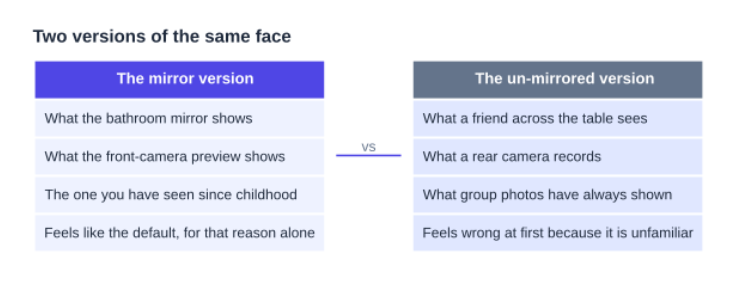
What the flip can and cannot tell you
| It can show you | It cannot show you |
|---|---|
| The orientation other people see | How you look in motion, which is how people actually meet you |
| Which way your hair part falls to an observer | Anything about depth, since a flip is still a flat image |
| Whether a photo was saved mirrored or not | A measurement of symmetry, because angle and lens change it |
| How a logo or lettering behind you should read | A verdict on your appearance |
Seven tools that do it
Overchat AI Inverted Filter
Upload a JPG, PNG, WebP or iPhone HEIC to the Inverted Filter, press Invert my photo, toggle the before-and-after comparison, then download in HD. The page is precise about the mechanism: it flips pixels along the vertical axis and nothing else, with no AI regeneration, no smoothing and no color changes. Processing runs in the browser, so the photo never leaves your device — which matters when the picture is your own face. Limitation: it is a single-purpose flip, so there is no crop, no rotate and no export size selector.
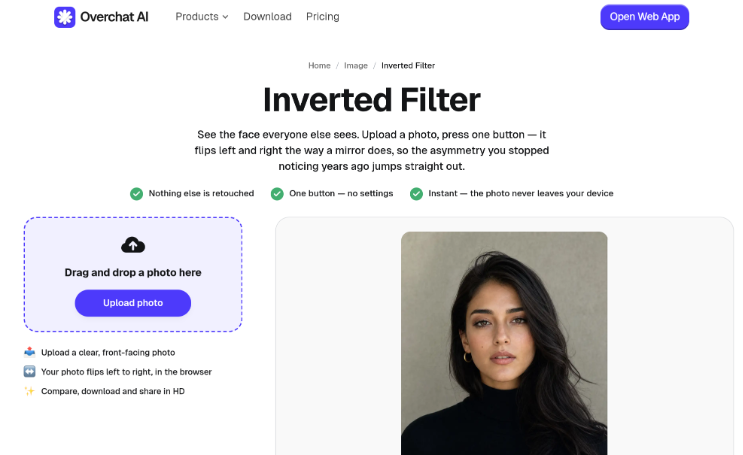
Nothing to pay for the flip itself — unlimited runs, no watermark, and the free plan adds 20 messages a day to basic models plus limited trial image generation. The paywall sits around everything else. Overchat AI bundles 150+ purpose-built tools across image, video, audio and text into one app, routes them to GPT, Claude, Gemini, Grok, Kimi and Qwen, runs on web, iOS and Android, and counts 350,000+ users. A Pro seat is $14.99 monthly, $59.99 if you pay for twelve months at once.
PixMira
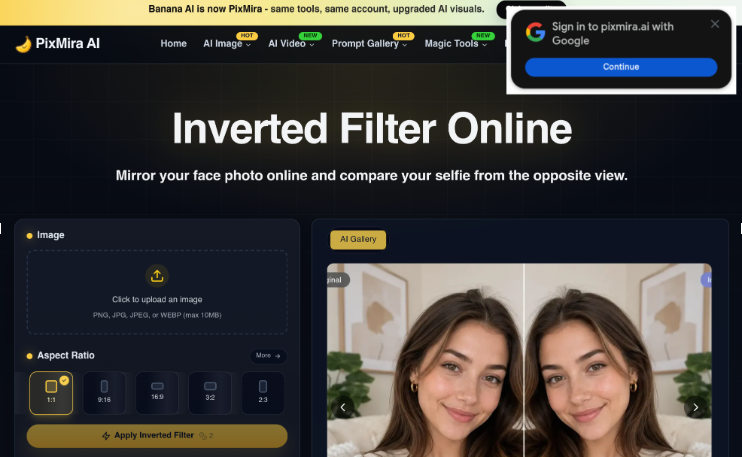
Upload a PNG, JPG, JPEG or WEBP up to 10 MB, apply the default mirror effect, preview, download. It states plainly that the flip preserves natural color, texture, lighting and facial detail — no identity change. Its caveats are the most honest of the group: results depend on camera angle, lens distortion, lighting and expression, and it should not be treated as a medical or biometric tool. Limitation: repeated generation or high-demand processing may need credits depending on account status.
Bylo AI
Upload a selfie or portrait, one click, then a side-by-side of original and mirrored. The comparison view is the reason to use it — seeing both at once is easier to interpret than flicking between two files. Free with instant access and no install. Limitations: the page does not name accepted formats, size ceilings, output resolution or watermark policy, and it describes itself as running online rather than on your device.
Flux1 AI
Upload, optionally adjust dimensions, click Generate, wait five to thirty seconds. Accepts JPEG, PNG, WEBP and GIF up to 10 MB and includes a watermark toggle. It advises clear, front-facing photos in good light and warns against heavy shadows, extreme angles and obscured features. Two limitations: it charges 6 credits per use after your free credits run out, and a wait of up to half a minute for what is arithmetically a pixel reversal suggests more machinery than the job needs.
YouCam Perfect
Open Photo Edit, load the selfie, choose Crop & Rotate, tap Flip Left/Right. There is also a Mirror tool that builds a fully symmetrical face from one side — interesting to look at once, though the result is a composite rather than a photograph of anyone. Available from the App Store and Google Play, with a browser editor as well. Limitation: the flip is buried inside a full editor, so you pass a lot of retouching tools on the way to a function that changes nothing.
PhotoDirector
Same route, different app: Edit, pick the selfie, tap Crop, choose Crop & Rotate, then Flip Horizontally, then save. Free to download on iOS and Android. Its own article is refreshingly clear that the point is seeing how your face appears to others rather than how the mirror shows it. Limitation: as with YouCam, this is a general editor and the flip is one item in a long menu.
Reversal Mirror
The only live option here. Instead of flipping a saved photo, the Android app turns the phone into a non-reversing mirror: you watch the un-mirrored version of yourself move in real time, with zoom, a toggle back to normal mirroring, screen light and brightness adjustment. Free with ads. Two limitations worth stating: a top review on the listing cautions that it is not an accurate representation of how you look, and the listing says collected data cannot be deleted.
Doing the test without letting it get to you
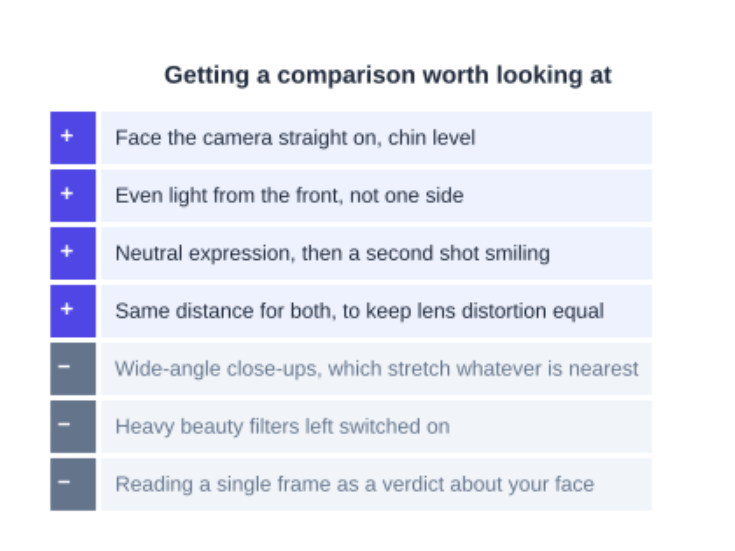
Shooting conditions that keep a mirrored and un-mirrored pair honest, with the habits that quietly wreck the comparison marked in gray.
One practical use survives all the caveats. If you are choosing a photo for a profile, a badge or a CV, look at the un-mirrored version, because that is the one every stranger will see. The version you like better in the mirror may simply be the version you have had more practice liking.
And if the flipped image bothers you, take the boring explanation over the dramatic one: you are looking at an unfamiliar arrangement of familiar features. Try showing both versions to someone who knows you and see how long it takes them to notice which is which. That answer is usually more reassuring than the one in your head.